
Common challenge
A small wording change can cross documents, translation files, and a release queue. Teams need a clear owner for the text, its translations, and the version customers see.
Give product, localization, and engineering one place to own app text. Manage source copy and translations, use machine translation and AI, choose audience variants, and decide what goes live through publishing and supported OTA SDKs.
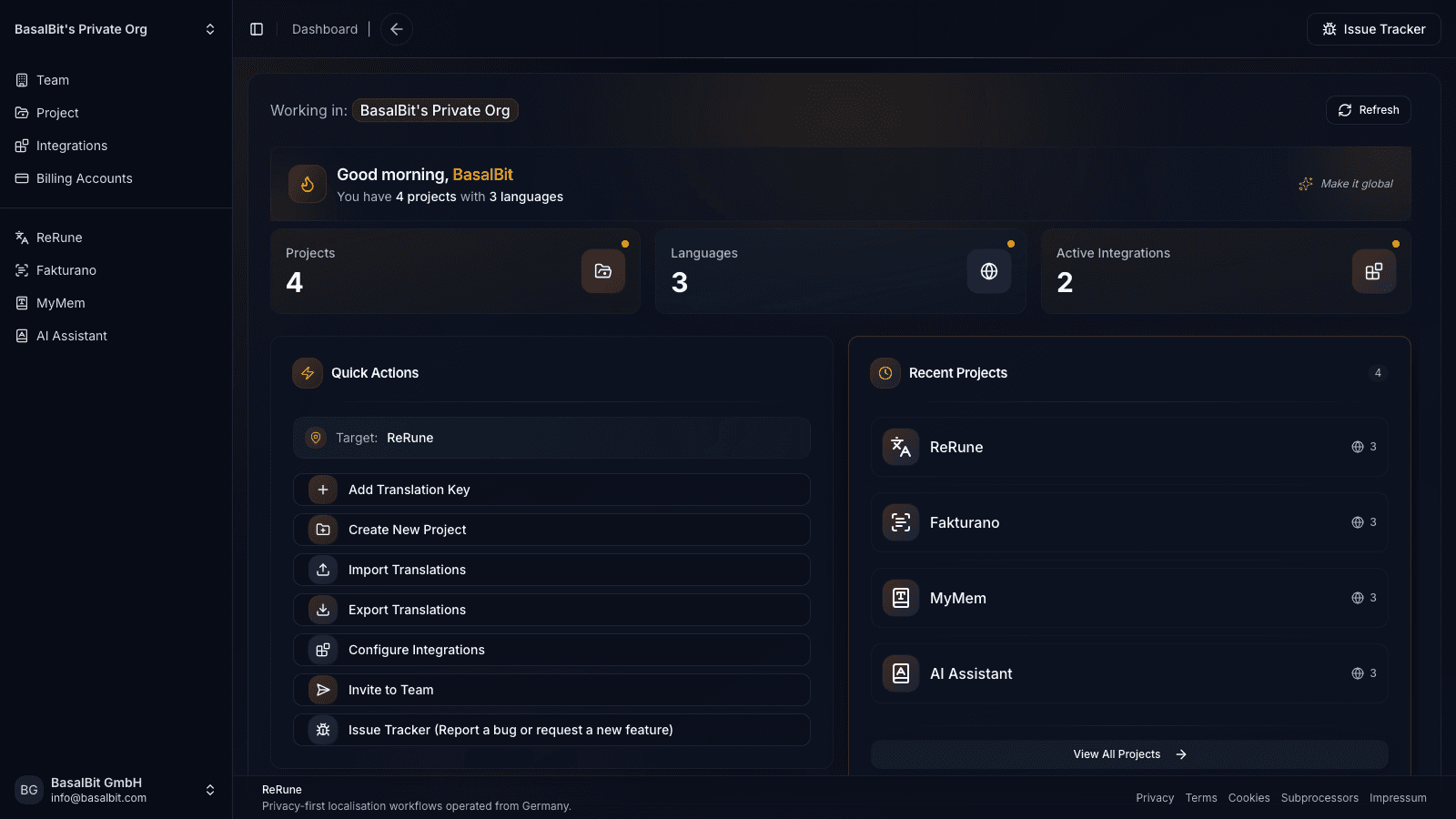
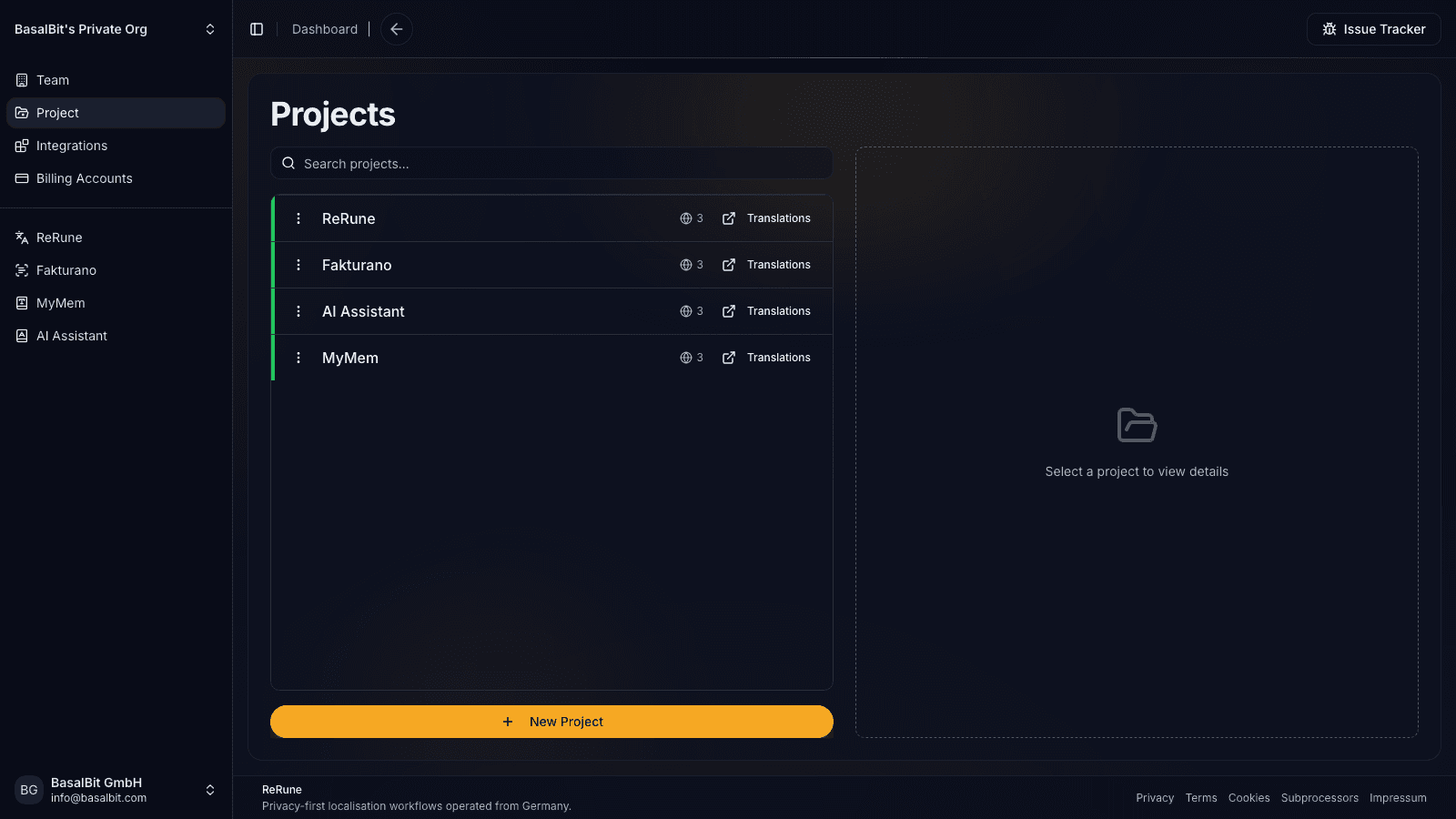
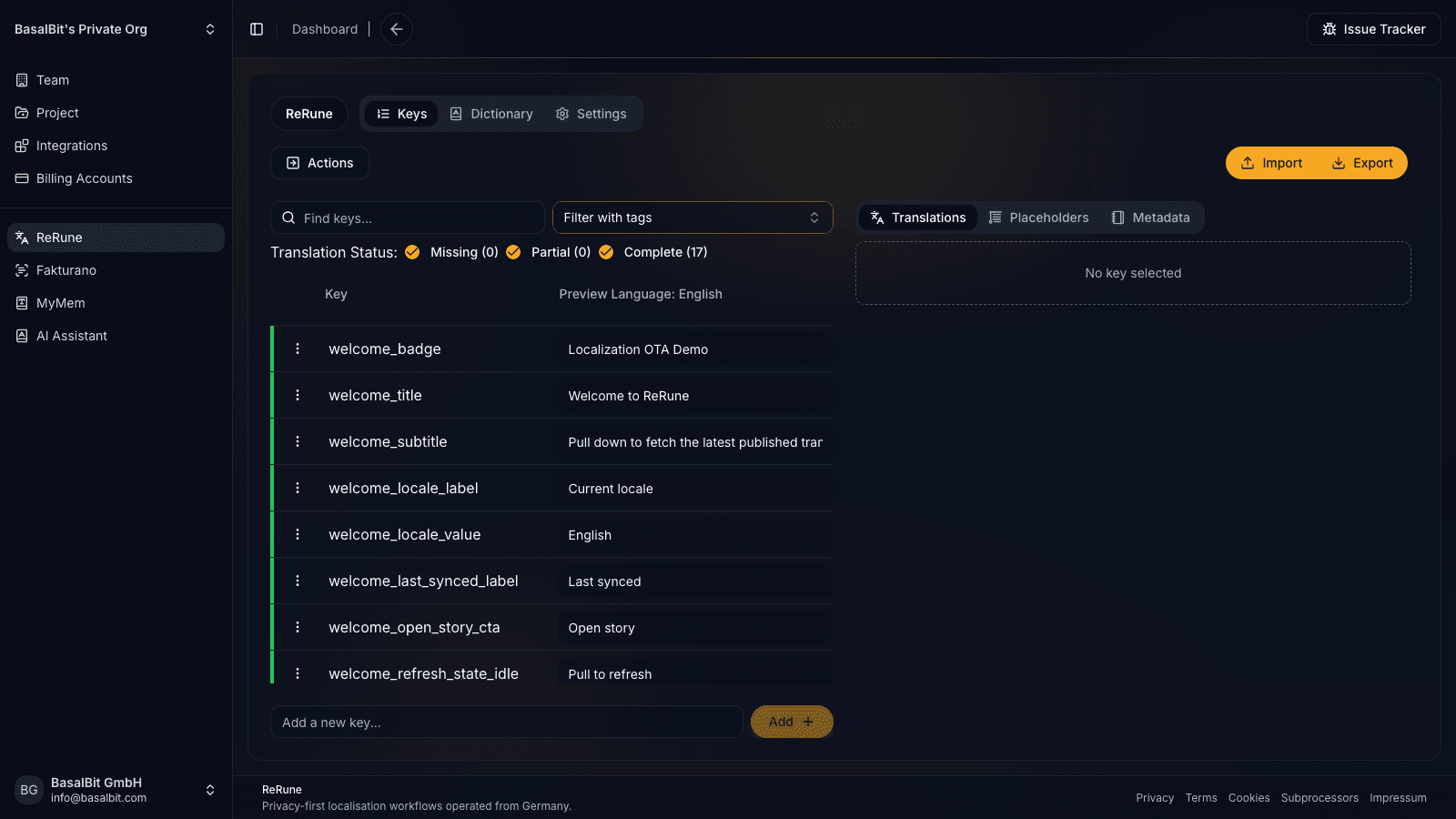
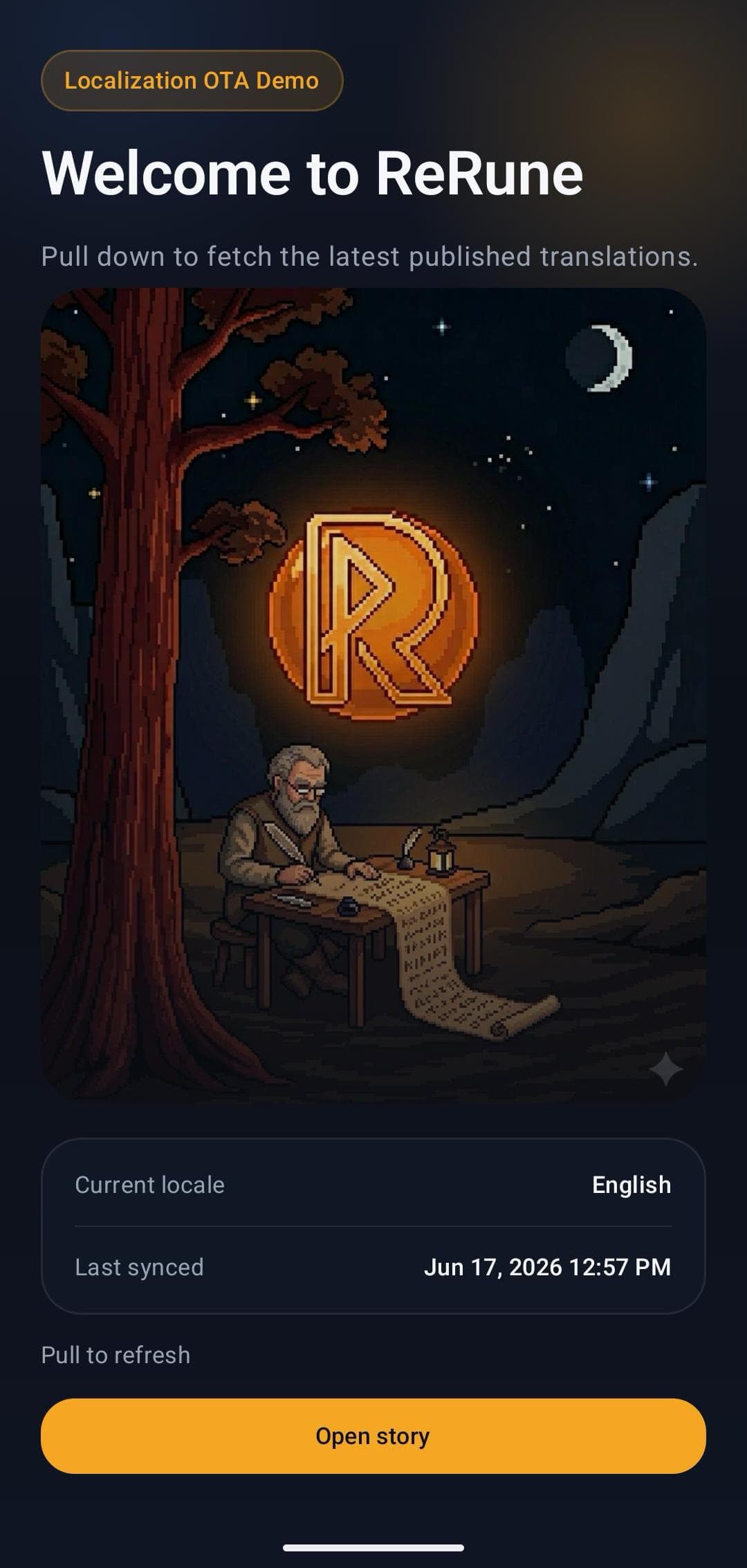
A small wording change can cross documents, translation files, and a release queue. Teams need a clear owner for the text, its translations, and the version customers see.
Product, localization, and engineering teams managing software UI copy across languages, brands, or customer groups, with file, CLI/API, or supported SDK delivery.
Keep source copy, translations, and variants together. Separate editing from publishing, preview drafts through OTA staging, and publish supported text updates independently of an app release.
Own the copy lifecycle
Copy ownership means your team can change the wording, choose its audience, and control its release. ReRune connects those decisions to the translation work behind them.
Manage each key's main-language text, translations, metadata, and typed placeholders in one project. Keep terminology in dictionaries and see which language values still need work.
Connect DeepL for machine translation or OpenRouter for AI-assisted translation. Use project context and dictionaries to guide the work, then review meaning, placeholders, and plurals before publishing.
Keep shared text in Main and override only the wording that changes for a brand, customer, plan, or experiment. Your app selects the variant; ReRune uses Main when no override exists.
Save drafts, preview through OTA staging, and publish selected keys with a release tag. Supported SDKs deliver compatible text updates without a new app release. Use publication history to roll back a key when needed.
Before you choose a TMS
Use a real part of your app to check compatibility, responsibilities, and cost. These are the decisions that matter when adopting or replacing a translation management system.
Check your platform's import and export formats with a representative file. Verify key names, locale codes, placeholders, and plurals. Imports update Main; exports can select Main or one variant with Main fallback.
Check import and exportAssign editing and publishing permissions separately. Agree who owns source copy, who checks translated values, and who releases them to customers.
Review team permissionsChoose files or CLI/API sync for your build workflow, or integrate a supported OTA SDK for runtime updates. Test staging, published content, rollback, and offline fallback on your actual platform.
Read the publishing guideReview translation-key capacity and OTA delivery usage on the pricing page. Paid plans can expand either with add-ons. DeepL and OpenRouter use your connected provider account; check that provider's pricing and language coverage alongside your ReRune plan.
See plans and usageMoving from another TMS
If you are leaving Phrase or another provider, start with the files you can export today. A small end-to-end check gives your team a concrete basis for the switch.
Keep the original export. Choose a supported format and include your source language, target languages, placeholders, and plural messages.
Review the imported values, export them again, and run your app's localization generator or build. Check the UI with realistic content.
Use your file or CLI workflow, or connect the SDK and test staging, publication, and fallback. Set editing and publishing permissions before switching the wider team.
Plan separately for translation memories, vendor assignments, approval history, and other provider-specific data. A translation-file import does not establish that those records transfer.
Tell us your current platform, app frameworks, file formats, and required workflow. We can help you assess the fit before you move.
Agent-assisted setup
Run the onboarding command from the root of your Git repository. The wizard detects the app and compatible coding agents already installed, then launches the agent you choose to move static UI text into localization, connect ReRune when cloud setup is selected, and validate the result.
Run inside your Git repository
$ curl -fsSL https://rerune.io/onboard.sh | shThe script runs locally. ReRune does not receive your source code or list of installed agents.
Start it from the repository root. It stays in the terminal and detects the app, existing localization, and supported coding agents already installed.
Review the source locale, Git branch, and whether to connect ReRune cloud and add supported OTA delivery. Nothing changes until you confirm.
The selected agent migrates user-facing strings into the app's localization system, connects ReRune when cloud setup is selected, adds supported OTA setup when requested, and runs the relevant validation.
11 integrations: 4 available now, 7 planned.
 OpenCodeReady
 PiReady
Coverage
Start where localization creates release friction, then keep web, mobile, and cross-platform products in one shared workspace as your surface area grows.
Developer delivery
Use the ReRune CLI locally or in CI/CD to manage project translations, then deliver approved runtime updates through the SDK built for your app.
Companion CLI
Use the ReRune CLI to sync, validate, and manage translations right from your terminal. Run syncs in CI/CD or locally whenever you need to push a new language.
Homebrew (macOS/Linux):
brew install BasalBit/tap/rerunereruneConnect the project
Create the project config and connect the repository to its ReRune workspace.
rerune pullPull approved updates
Bring current dashboard translations into the app or its build workflow.
rerune pushPush local changes
Send local translation updates back to ReRune for the team to manage and publish.
SDK directory
Public ReRune SDKs for Flutter, Android, iOS, React, React Native, and Angular support runtime variant selection with Main and bundled fallback.
Flutter        rerune ^1.3.0
Android        rerune-android-compose:1.2.0
               rerune-android-views:1.2.0
iOS            ReRune 1.2.0
React          @rerune/react@1.6.0
React Native   @rerune/react-native@1.6.0
Angular        @rerune/angular@1.6.0
Questions
Share an idea, report a problem, or ask for help with ReRune.
Yes. ReRune is a translation management system for software teams. It keeps source text, translations, dictionaries, placeholders, language progress, and team permissions in one workspace, with import/export, CLI/API sync, and publishing for supported OTA SDKs.
Teams manage source wording and translations together, create variants for brands or audiences selected by their app, and control when edits become published text. DeepL machine translation and OpenRouter AI are optional. Supported OTA SDKs deliver published text updates with cached or bundled fallback, within each platform's limits.
If you can export your app's translation files, start by checking them against ReRune's supported import formats. Validate a representative file, languages, placeholders, and plurals, then export and build your app before switching delivery. File import is not an automatic transfer of translation memory, approval workflows, or publication history; assess those requirements separately.
Yes. Named variants can override selected keys for a brand, customer, plan, or experiment. Your app selects the active variant; ReRune supplies its text and falls back to Main where no override exists. Your app remains responsible for audience assignment and experiment measurement.
No. Draft edits are separate from published content. Teams can preview drafts using OTA staging, then publish selected keys with a release tag. Publication history supports rollback to an earlier key version. Runtime updates arrive according to the SDK and app refresh behavior; new code and unsupported localization structures still require an app release.
ReRune keeps AI assistance close to project context, dictionaries, placeholders, structured values, and review steps so generated translations can be checked before sync or publish.
Test your real files, languages, placeholders, plurals, team permissions, and delivery path. Compare the ReRune plan and OTA usage with any connected provider charges.
Explore next
Go deeper into the developer, platform, and delivery workflows connected to this page.
ReRune is a software localization platform for teams shipping web, mobile, and cross-platform apps with AI assistance, CLI/API sync, and OTA updates where supported.
Read moreUse ReRune for AI translation management with project context, dictionaries, DeepL and OpenRouter assistance, review controls, and developer sync.
Read moreUse ReRune as a developer localization platform for app teams that need translation management, CLI/API sync, AI assistance, and OTA SDK delivery where supported.
Read moreCreate projects, manage keys, use AI assistance with context, sync through CLI/API, and publish approved runtime updates when your app uses a supported ReRune SDK.