
“ReRune has not only saved us an enormous
amount of time, but also brought clarity, consistency,
and reliability to our entire localization workflow.”
Kevin WollförsterProduct OwnerR.O.E GmbH
Read the customer storyWhat you see is what you get. No strings attached.
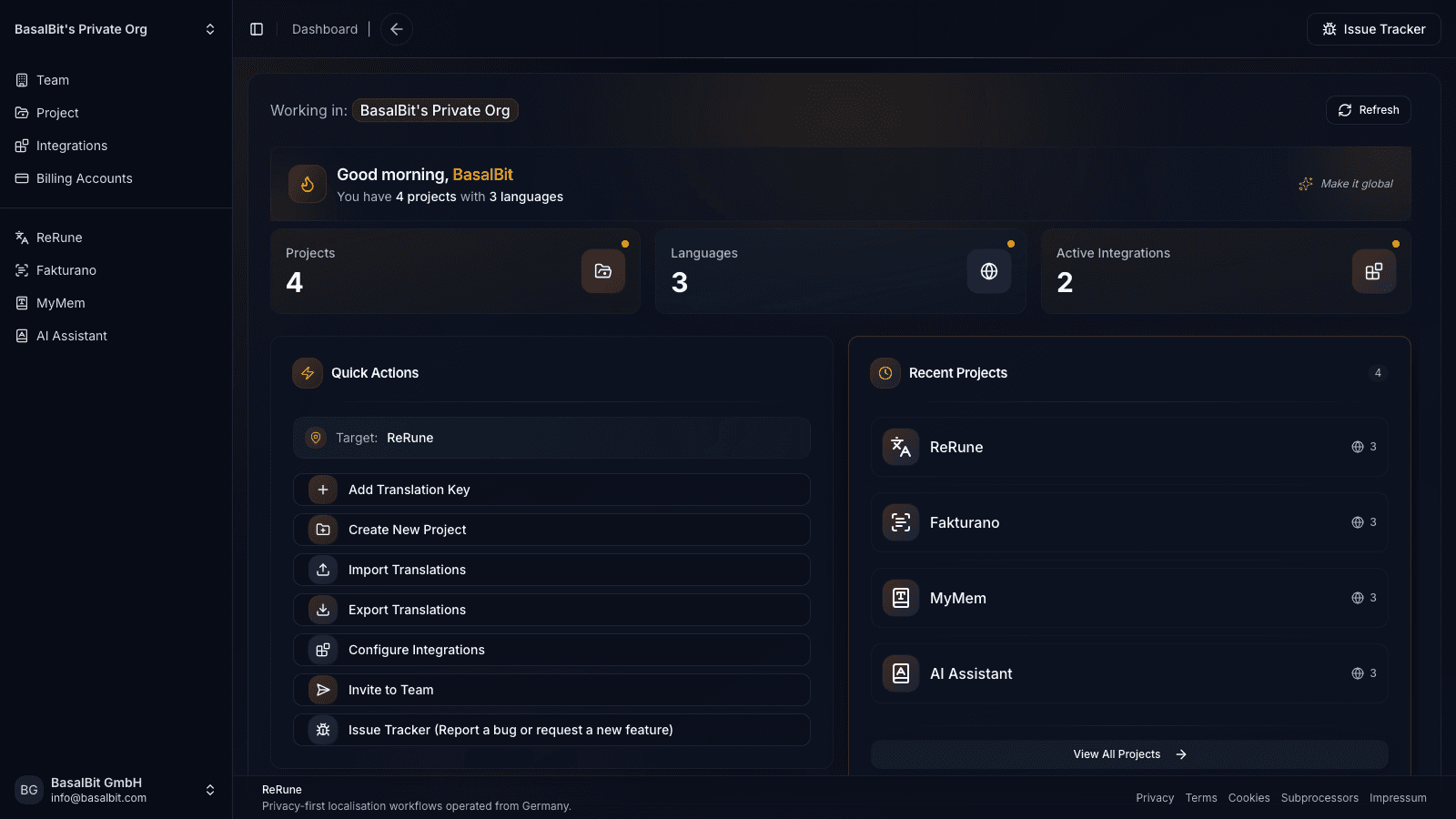
ReRune is the smart, simple way to manage your software localization. Keep your team in sync and your translations up-to-date, without the hassle.
2-4 weeks saved
Most of your localization timeline isn’t translation, it’s waiting
80–90% cost reduction
There’s the invoice… and then there’s the time sink
CLI + OTA
Sync in CI/CD, then publish approved text through runtime updates
“ReRune has not only saved us an enormous
amount of time, but also brought clarity, consistency,
and reliability to our entire localization workflow.”
Kevin WollförsterProduct OwnerR.O.E GmbH
Read the customer storyExplore ReRune
See what changes for your team and how it connects to your app.
Why it matters
ReRune gives software teams controlled AI assistance, language coverage visibility, CI/CD sync, and OTA updates for supported apps.
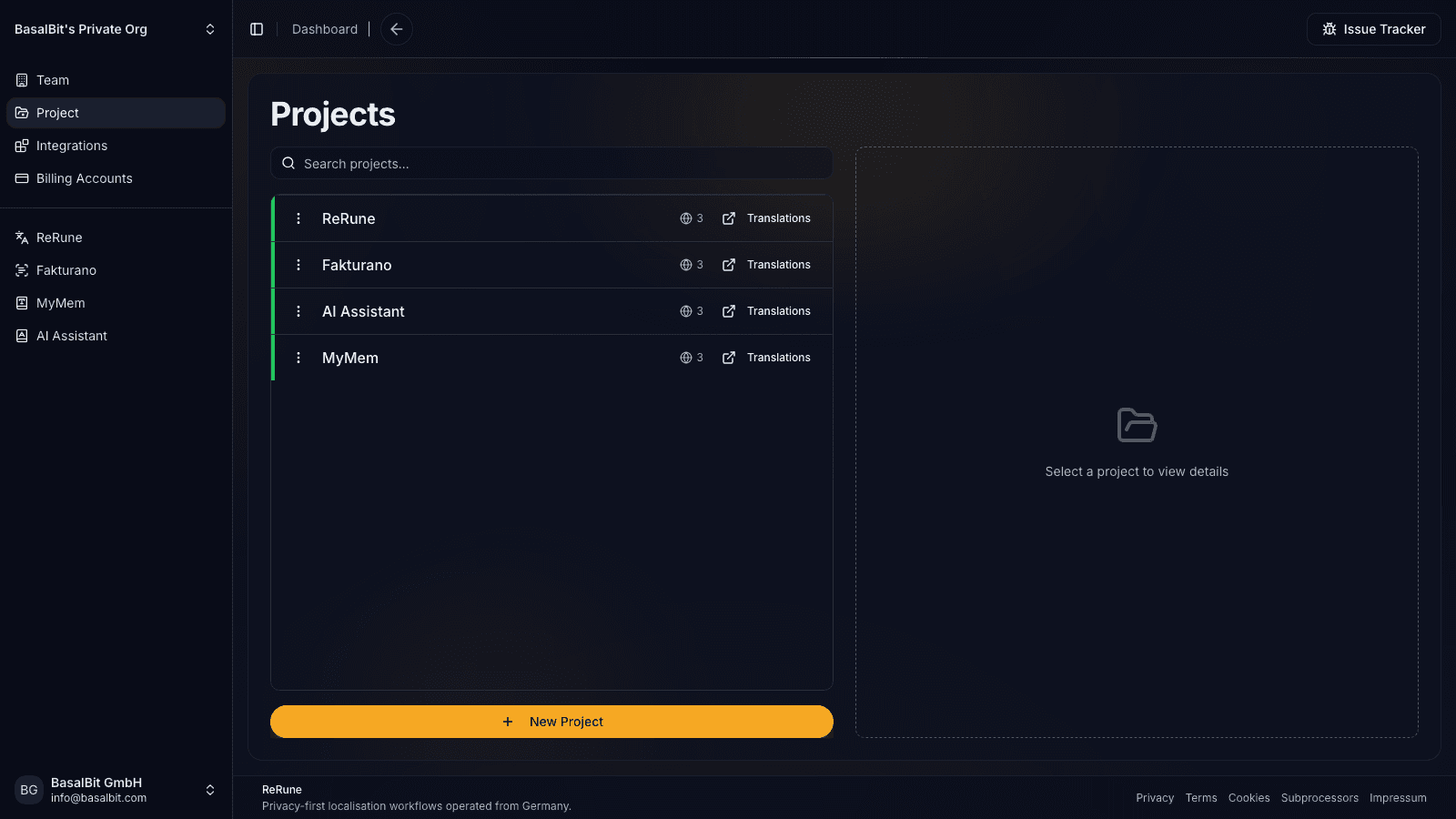
Replace file handoffs and status chasing with one project view for app copy, languages, ownership, and progress.
Use DeepL or OpenRouter with project context and dictionaries so automation follows your product language.
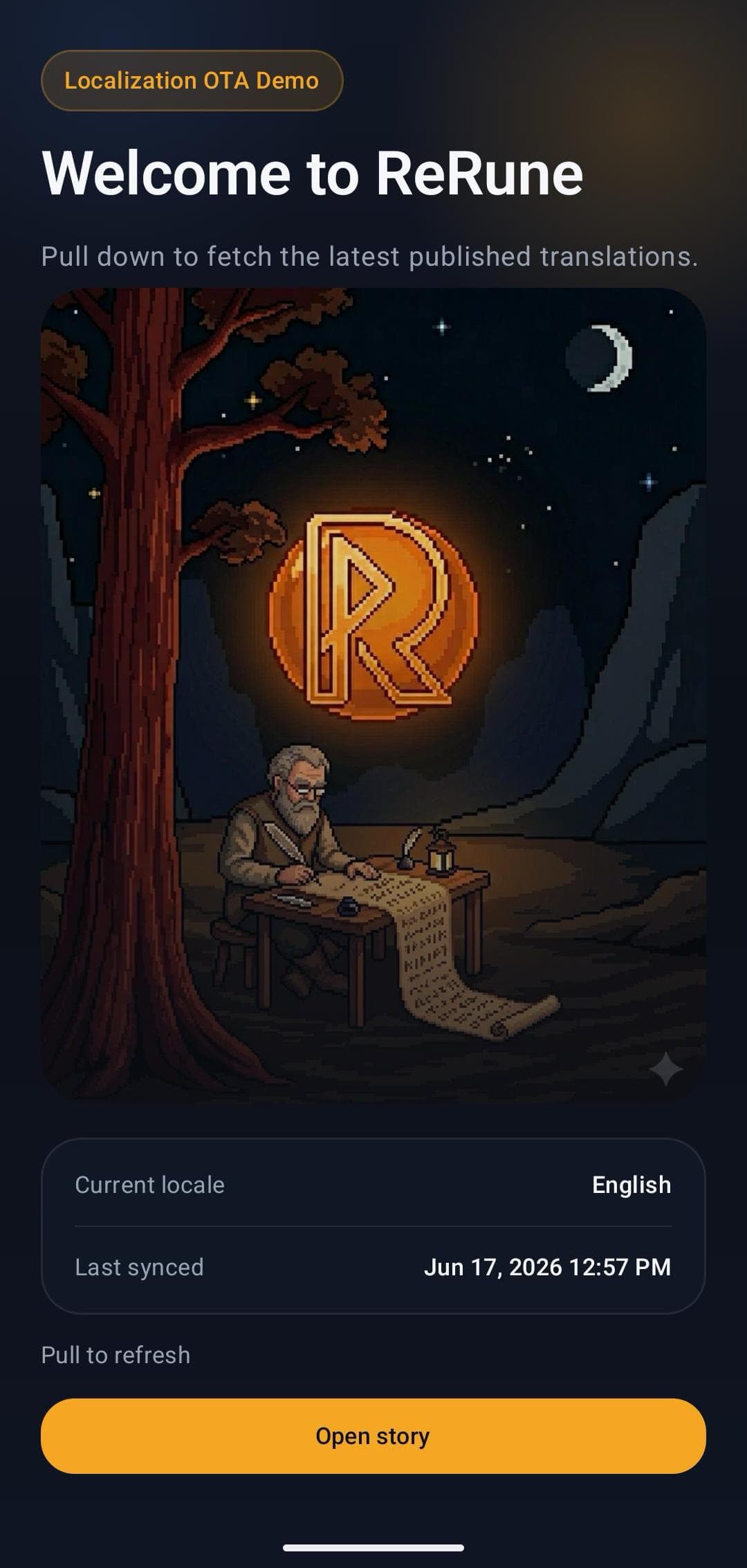
Use ReRune SDKs and OTA publish IDs to update approved app text without waiting for a full app release.
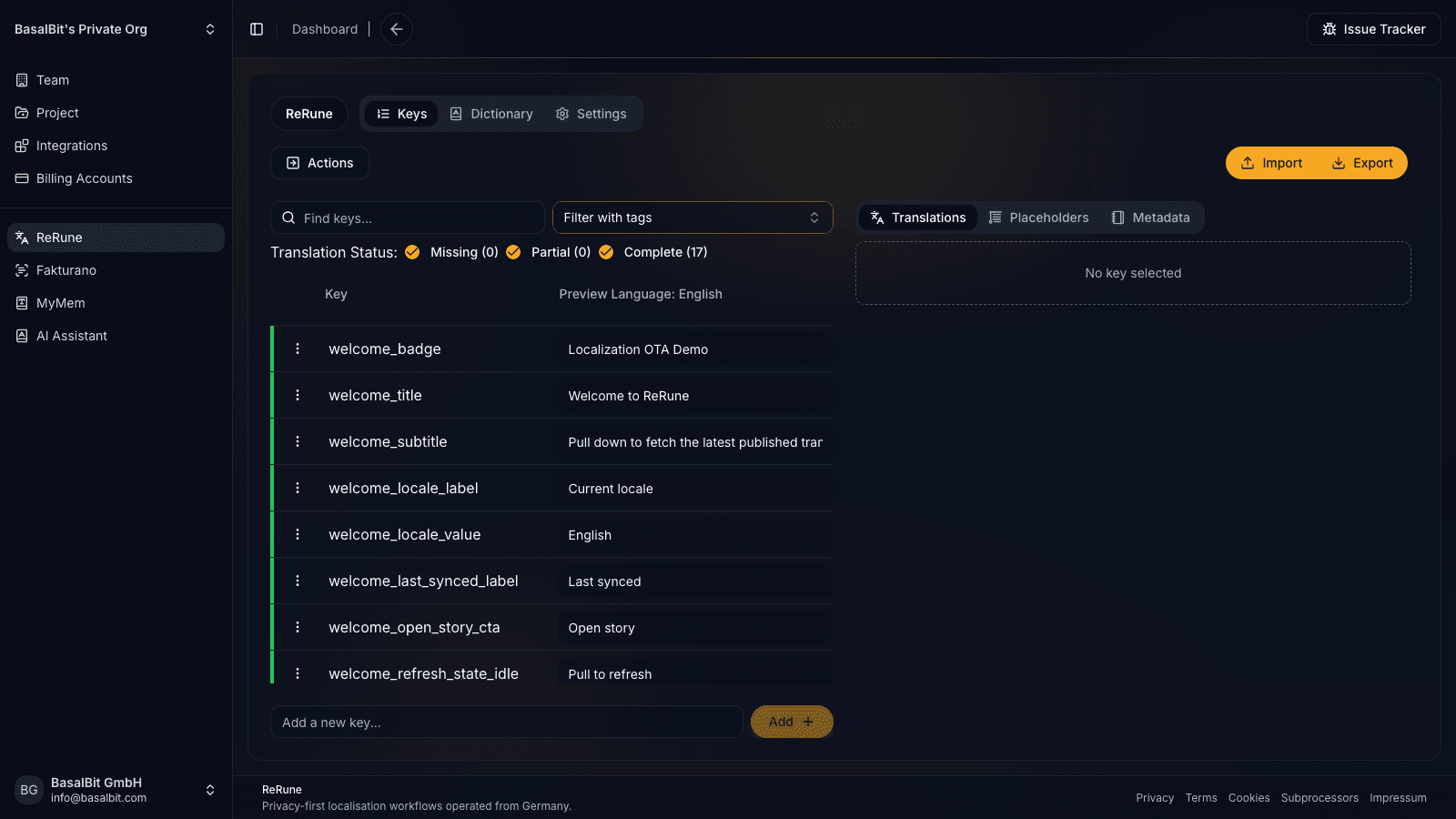
See language completion, missing keys, active integrations, and project readiness before launch.
Track billing accounts, team access, plans, and integrations around the localization work they support.
CLI and API access let localization move through CI/CD instead of becoming a manual release task.
Edit approved copy, publish it, and refresh the app without a new store release.
Edit
Update approved copy.
Publish
Create the OTA update.
Refresh
Load it in the app.
A streamlined workflow
When app copy is split across agencies, spreadsheets, AI tools, and engineering tickets, teams have to move the same work between systems. ReRune keeps translation, terminology, review, and delivery in one place.
Manage app copy, translation, review, and delivery in one workflow instead of passing files between tools and teams.
Give everyone the same project view, so teams spend less time briefing, chasing updates, reconciling files, and checking work twice.
Use the CLI, API, or OTA updates for routine text changes instead of turning every wording update into a full app release.
Quality Governance
AI only helps when the output stays accountable. ReRune keeps the controls close to the translation work: dictionaries, project context, structured values, and visible checks before sync or publish.
Project dictionaries keep product names, legal wording, and support language consistent across locales.
AI settings carry project context and preferred style into translation suggestions instead of starting from a blank prompt.
Structured messages, placeholders, and per-language values stay visible before content is synced or published.
More languages
Reuse your text structure, terminology, and review workflow for every new language. Less setup for your team, more time to get the wording right.
See the localization workflowStart with one new market. Translate the text you already manage and see what still needs attention before launch.
Use your product context and dictionaries to guide new translations. Keep names and key terms consistent as you add languages.
Review and publish corrections as you learn from users. With ReRune’s SDKs, text updates can reach your users without a new software release.
Text for tests, brands, and plans
Run A/B tests on app copy, give each white-label brand its own wording, or tailor messages for Free and Pro users. Manage all the text in one shared project.
One message, different audiences
Each test group, brand, or plan gets its own wording. If no separate wording is set, the shared text is used.
Questions
A short product map for teams comparing translation management, developer sync, AI assistance, and app text delivery.
Share an idea, report a problem, or ask for help with ReRune.
ReRune is a software localization platform for teams that need to manage translation keys, languages, AI-assisted translation, and app delivery workflows from one dashboard.
Read the related guide: What is ReRune?ReRune focuses on app keys, platform formats, developer sync, AI assistance with project context, and OTA SDK delivery where supported.
Read the related guide: How is ReRune different from a generic TMS?Yes. ReRune is structured around projects, languages, keys, dictionaries, metadata, CLI/API sync, and SDK delivery paths so teams can manage several product surfaces from one localization workspace.
Read the related guide: Can one workspace cover web, mobile, and cross-platform apps?Create a ReRune project, choose its languages, then import existing translation resources or connect the repository through agent-assisted onboarding, the CLI, or the API. Your app can keep its current localization model.
Read the related guide: How do I bring an existing app and translations into ReRune?ReRune includes the localization workspace. Plans are based on translation keys and monthly OTA quota. Compare the current monthly and annual plans in the pricing cards below, or open the pricing page for a full breakdown.
Read the related guide: How does ReRune pricing work?ReRune is built for product, engineering, and localization teams that ship web or mobile products and want localization connected to their normal release workflow.
Read the related guide: Which teams is ReRune built for?No. Your app keeps its native or framework localization model and bundled resources. ReRune manages translation content and adds CLI/API sync plus runtime delivery through supported SDKs.
Read the related guide: Does ReRune replace my app's i18n library?No. ReRune also supports dashboard management, platform exports, import workflows, CLI sync, and API-driven workflows. OTA updates are an added delivery path for supported SDKs.
Read the related guide: Does ReRune only work for OTA updates?Teams can use ReRune API keys, the ReRune CLI, and platform exports to sync translation files through local scripts or CI/CD pipelines.
Read the related guide: How does ReRune fit into CI/CD?Supported ReRune SDKs can deliver approved text at runtime. If an update is unavailable, the app keeps its bundled localization resources as fallback. New code paths and unsupported resource changes still ship through the normal release process.
Read the related guide: Can ReRune update app text after release, and what happens if an update is unavailable?New code paths and localization structures the installed app does not know about still require a release. Examples include new Android resource IDs, new Flutter keys or placeholder signatures, native system text, and app-store language metadata.
Read the related guide: What localization changes still require an app release?Yes. Product, localization, and operations users can manage projects, languages, dictionaries, translation status, AI assistance, billing context, and team collaboration from the dashboard.
Read the related guide: Do non-developers still get a usable workspace?ReRune works with JSON based i18next resources for React and React Native, generated Flutter localizations, Android string resources, and Apple localization assets. Each integration preserves the platform resource model while ReRune adds sync and supported OTA delivery.
Read the related guide: Which files are used for software localization?No. DeepL and OpenRouter assistance is optional. Teams can create, edit, import, export, and sync translations through the core workspace without using AI generation.
Read the related guide: Do I have to use AI translation?ReRune keeps project context, dictionaries, metadata, placeholders, and structured values beside the translation work. Teams can inspect and edit values in the dashboard before they sync or publish them.
Read the related guide: How does ReRune keep translations consistent and reviewable?Yes. Store different messages under the same translation key. Your app chooses the variant from the user’s test group, brand, or plan, and ReRune delivers the matching text. Main content is used when a variant has no override.
Read the related guide: Can I use variants for A/B testing, white-label apps, and Free/Pro plans?Yes. Open a translation key’s publication history, preview an earlier snapshot, and restore it as the live version. The editor draft remains untouched. Apps receive the restored text on their next successful update check, so cached or offline clients may continue showing the previous text until they refresh.
Read the related guide: Can I roll back an incorrect published translation?Plans
Compare published plans or discuss a custom setup for your localization workload.
Free
Free tier
No card required
Translation keys
Translation keys
300
OTA quota
OTA quota
1 GiB / month
Starter
19.95 EUR / month
214.2 EUR / year
Monthly billing selectedVAT included
Starter plan meant for freelancers or small teams
Translation keys
Translation keys
2,000
OTA quota
OTA quota
5 GiB / month
Team
47.7 EUR / month
477 EUR / year
Monthly billing selectedVAT included
Team plan meant for small to medium teams
Translation keys
Translation keys
5,000
OTA quota
OTA quota
15 GiB / month
Plus
110.5 EUR / month
1,092 EUR / year
Monthly billing selectedVAT included
Plus plan meant for medium teams
Translation keys
Translation keys
12,500
OTA quota
OTA quota
25 GiB / month
Pro
208 EUR / month
2,028 EUR / year
Monthly billing selectedVAT included
Pro plan meant for big teams
Translation keys
Translation keys
25,000
OTA quota
OTA quota
50 GiB / month
Custom plan
Let’s talk
Tell us what your team needs and we’ll discuss a plan that fits.
Translation keys
Translation keys
Tailored
OTA quota
OTA quota
Tailored
What you see is what you get. No strings attached.
Start with one project, prove the hidden coordination cost, and decide where governed AI, reusable terminology, and OTA updates make localization worth scaling.